Specials are where good kitchens show off, and where allergen information most often goes wrong. Specials board allergens are harder to keep right than your main menu because the dishes change daily, the recipes are often new, and the ingredients can shift between Monday's delivery and Friday's service. This guide explains what the law expects, where things slip, and a simple daily routine that keeps allergen information accurate for every special, every substitution and every supplier swap.
Latest update (16th November 2026): The FSA's allergen guidance for food businesses was last updated on 17th July 2026, and its allergen checklist on 23rd July 2026. The FSA's best practice guidance on allergen information for non-prepacked food, published 24th February 2025, is still best practice rather than law. Owen's Law, the campaign for mandatory written allergen information in restaurants, is not law at the time of writing. See our Owen's Law explainer for the latest.
What the law says about specials and changing menus
There is no separate rule for specials. The same law covers every dish you serve. If a dish contains any of the 14 allergens, you must be able to tell customers. For non-prepacked food, the FSA says you can do this with "full written allergen information on a menu, chalkboard or in an information pack", or verbally with a clear written notice telling customers how to get the information.
Two points matter most for specials:
- The information must be accurate. The FSA's best practice guidance says: "The allergen information provided to consumers must be accurate. This is a legal requirement."
- It must stay up to date. The FSA's main guidance says allergen information should be "included in recipes or explanations of the dishes provided" and that "you need to consider the impact when recipes change".
So a special that was correct when you wrote it at 10am, but changed when the chef swapped the cream at 6pm, is no longer correct. That is the gap this guide helps you close.
What is law and what is best practice:
| Topic | Status | What it means for specials |
|---|---|---|
| Providing information on the 14 allergens | Law | Every special must have allergen information available |
| Accurate information | Law | If a recipe or ingredient changes, the information must change too |
| Written information or verbal with a written notice | Law (either is allowed) | A chalkboard can carry the information, or a sign can tell customers to ask |
| Written information supported by a conversation | FSA best practice | The FSA says this works best for customers |
| Procedures for substitutions and supplier changes | FSA best practice | Have a set way to approve, record and pass on changes |
| Mandatory written allergen information (Owen's Law) | Proposed, not law | Not required at the time of writing |
Why specials boards go wrong
Specials are usually created fast, by one person, and passed on by word of mouth. Most allergen mistakes on specials come from a handful of familiar moments.
The recipe is new and not written down
A main menu dish has a recipe card and a line in your allergen matrix. A special often lives in the chef's head. If the recipe is not written down, front of house has nothing reliable to check when a customer asks.
Last-minute substitutions
You run out of an ingredient mid-service and swap in something similar. A different pesto, a different stock, a different bread. The swap might bring in nuts, celery, milk or gluten that the original did not have. The FSA's best practice guidance recommends "minimising the occasions where last minute substitutions are required", and when they do happen, checking the ingredients and updating the allergen information.
Supplier and product changes
Your supplier sends a different brand, or the same product with a new recipe. Nothing looks different on the plate, but the label has changed. The FSA guidance recommends "regularly checking whether ingredients in products have changed" and using approved suppliers who "agree to inform the businesses of any allergen changes".
The board and the folder disagree
The chalkboard says one thing, the allergen folder says another, and the online menu says a third. When information lives in several places, one of them is usually out of date.
Shift changes
The morning chef writes the special and goes home. The evening team serves it. If nothing is written down, the knowledge leaves with the person who made the dish.
A daily routine for specials board allergens
You do not need a complicated system. You need the same few steps every day, done by the same person, before service.
1. Write the recipe before the special goes on sale
For every special, record each ingredient, including what goes into sauces, dressings, garnishes and anything bought in. The FSA advises keeping "a record of recipes so they are made to the same specification each time". If a sauce comes from a jar or a tub, check the label rather than relying on memory.
2. Check every bought-in ingredient against its label
Read the ingredients list on the actual pack you are using today, not the one you used last month. Allergens are emphasised in the ingredients list on prepacked food, usually in bold, so they are quick to spot. Keep ingredients in their original or labelled containers so the label is there when you need it.
3. Record the 14 allergens for the dish
Go through all 14 allergens and mark which ones the special contains. If you use an allergen matrix, add a row for the special. Our allergen matrix guide and template shows a simple layout.
4. Update every place the information appears
Update the board, the allergen folder or matrix, and any online or QR code menu at the same time. If you cannot update all of them, it is safer to have one reliable source and point customers to it.
5. Brief the team before service
Tell front of house what is on the specials board and which allergens each dish contains. The FSA checklist asks managers whether "kitchen staff know how to record allergens when recipes are changed and who to report this to". Make it clear who that person is on every shift.
6. Treat any change during service as a new dish
If the chef substitutes an ingredient during service, the allergen information must be checked and updated before the dish goes out again. The FSA's consumer advice tells customers to ask: "has there been a last-minute recipe change or ingredient substitution?" Your team should be able to answer that confidently.
7. Take the special down when it is gone
When a special sells out or ends, remove it from the board and the digital menu. Old specials left on a menu are a common source of confusion.
Checklist: before each specials board goes live
- Recipe written down for every special, including sauces and garnishes
- Labels checked on every bought-in ingredient used today
- All 14 allergens recorded for each special
- Board, allergen folder or matrix and online menu all match
- Allergen sign or notice visible telling customers how to get information (download our free food allergy sign)
- Front of house briefed on today's specials and their allergens
- One named person responsible for approving substitutions this shift
- Old specials removed from every menu
How to show allergens on a specials board
You have a few options, and the right one depends on how much space you have and how often the board changes.
Write the allergens on the board
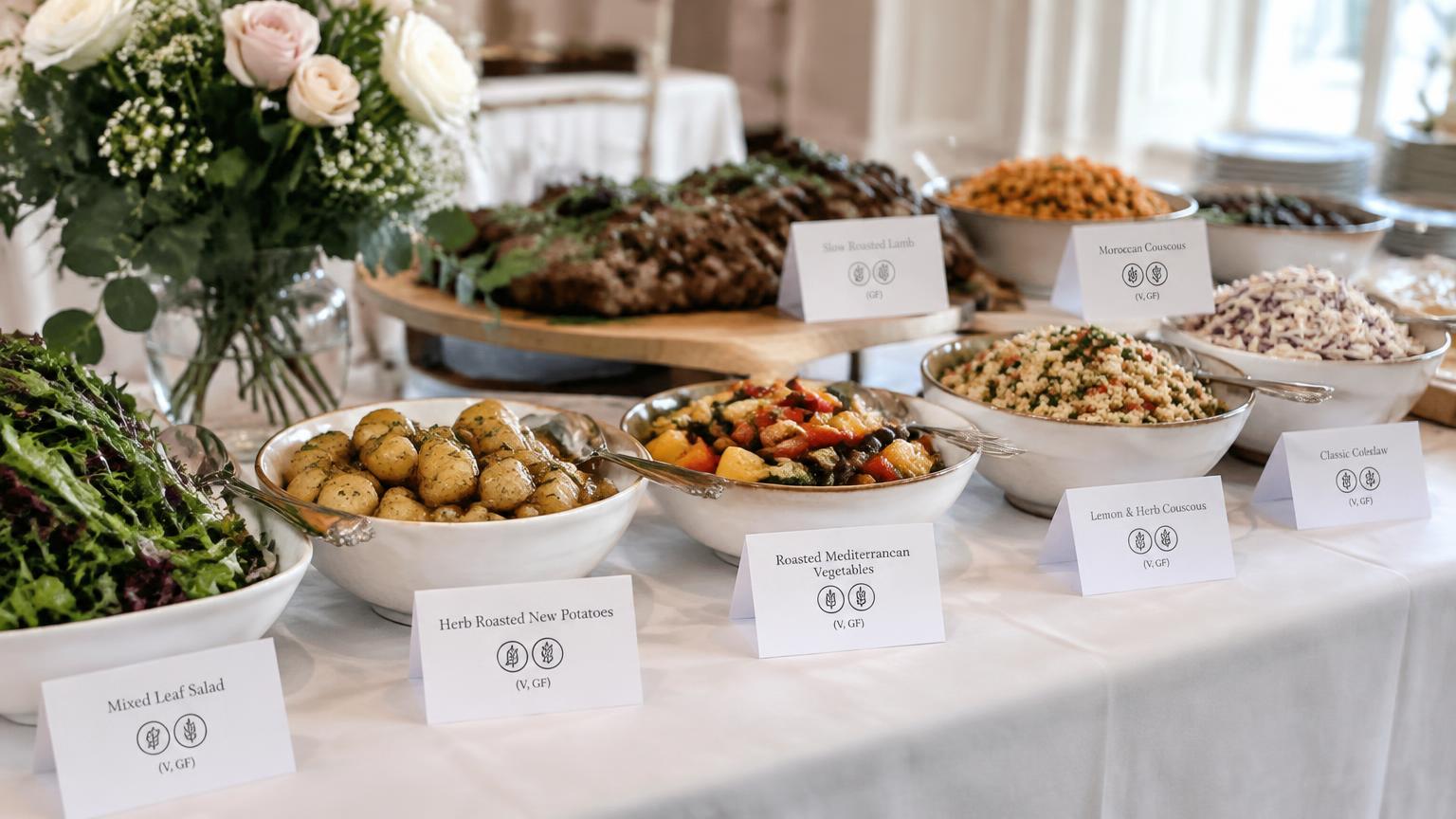
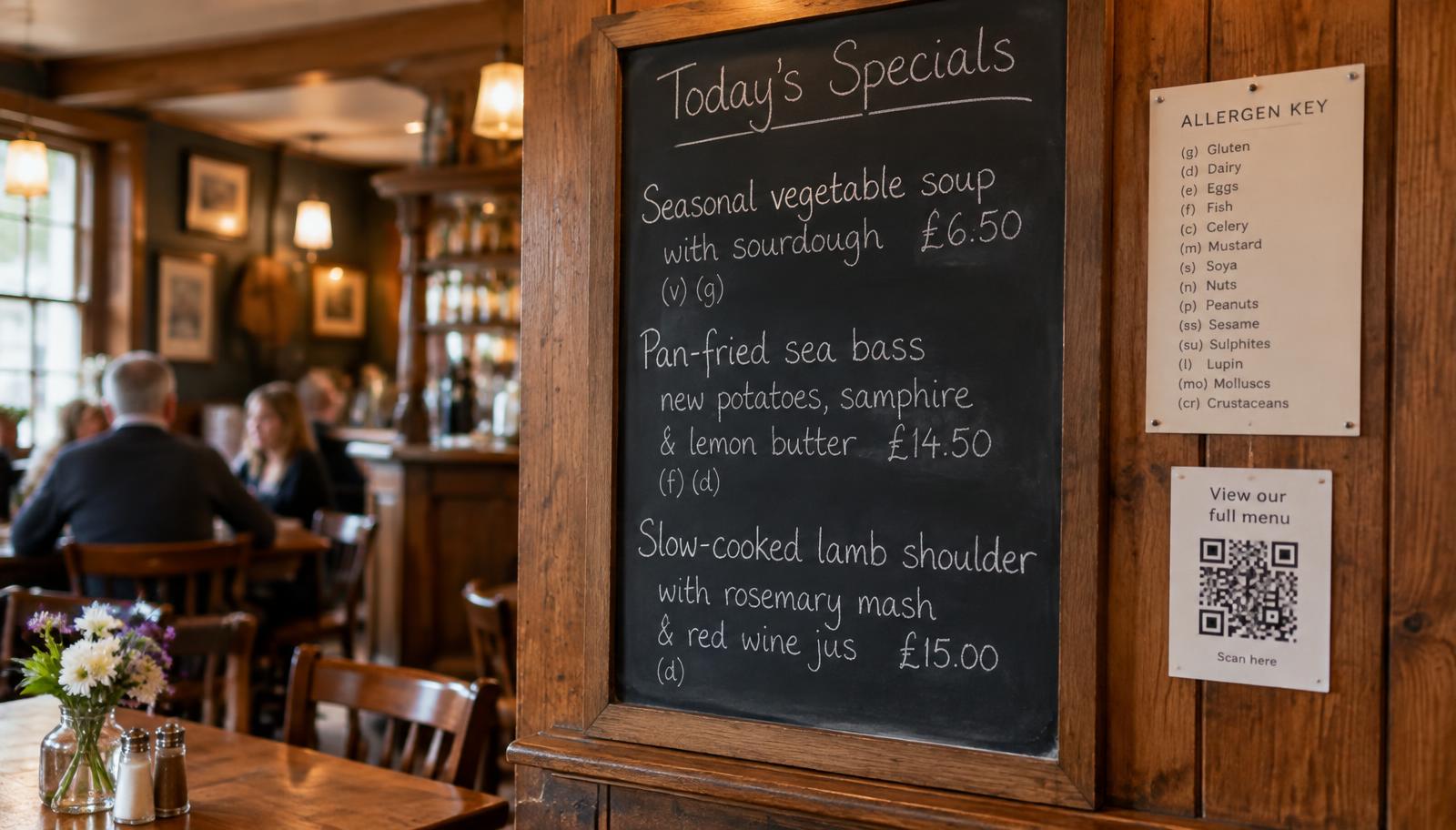
Next to each dish, list the allergens it contains, or use a simple key with numbers or icons. This keeps everything in one place, but chalkboards get crowded and are easy to smudge or forget to update.
Signpost to written information
Add a clear line to the board telling customers that allergen information for today's specials is available, and how to get it. The FSA's best practice guidance says businesses that do not use a menu should display a message "where they display their food options such as on a board". The written information itself can sit in a folder or on a digital menu.
Put the specials on a digital menu
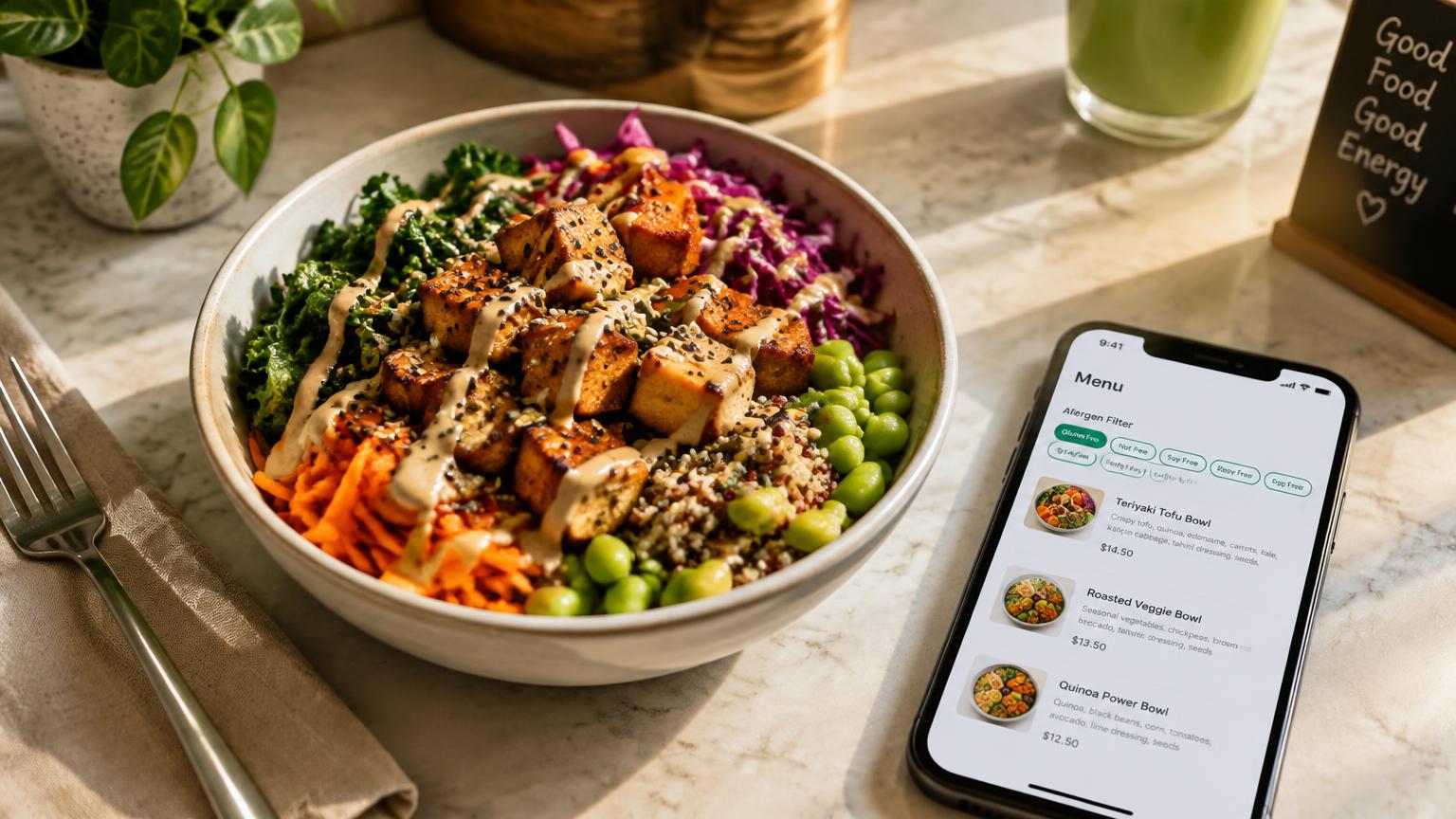
A QR code on or next to the board can open a specials menu with full allergen information for each dish. Customers can check before they order, and you can update it in seconds when something changes. If you are wondering whether this approach meets the rules, our guide to QR code allergen menus in the UK covers it in detail.
Whichever you choose, keep the conversation going. The FSA says written information supported by a conversation works best for customers, and your staff should always invite customers to tell them about any allergies.
Supplier changes: the hidden risk in your regular dishes
Specials are not the only thing that changes. Your regular menu can change without anyone touching a recipe, simply because a product has changed.
The FSA checklist asks whether you have a procedure for "any changes to the ingredients in your regular order (for example substitutions)", so you can "approve, record and report this". In practice that means:
- Checking deliveries against your order, and spotting any brand or product that is different from usual
- Reading the label on any new or substituted product before it goes into a dish
- Asking suppliers to tell you about allergen changes in their products
- Keeping product specification sheets on file and up to date
- Updating your allergen records the same day if anything has changed
A supplier swap that brings mustard into a mayonnaise or milk into a gravy mix will not show on the plate, so the label check is what protects you.
Where Allergenius fits
Allergenius was built for exactly this problem. You can set up a specials menu alongside your main menu, add each special with its allergens across all 14, and share it with the same QR code or link. When the chef changes an ingredient, you update the dish once and the change goes live straight away, so customers and staff see the same information. Customers can filter the menu to hide dishes containing the allergens they need to avoid, without downloading an app.
It also means you can stop reprinting allergen sheets every time the board changes. If you are still working from paper, our guide to switching from paper allergen folders to digital menus walks through the move step by step.
Allergenius does not check your recipes for you. You stay responsible for entering accurate information, and filters do not replace a conversation with your staff. What it does is make keeping that information current quick enough to do every day.
Ready to keep your specials right?
See how a specials menu looks to your customers on our demo menu. When you are ready, sign up and add today's specials in minutes.
FAQ
Do specials need allergen information?
Yes. There is no exemption for specials. If a special contains any of the 14 allergens, you must be able to give customers that information, in writing or verbally with a clear written notice explaining how to ask.
Can I write allergen information on a chalkboard?
Yes. The FSA lists a chalkboard as one way to give full written allergen information. You can also put a notice on the board telling customers how to get allergen information, as long as the information you give is accurate.
What should I do if I substitute an ingredient during service?
Check the label of the replacement ingredient, update the dish's allergen information everywhere it appears, and tell front of house before the dish is served again. The FSA recommends keeping last-minute substitutions to a minimum.
How often should I check supplier products for allergen changes?
Check the label whenever a product is new, substituted or looks different, and regularly for products you buy all the time. The FSA recommends regularly checking whether ingredients in products have changed and asking suppliers to tell you about allergen changes.
Is written allergen information on specials a legal requirement?
Not on its own. The law allows written information, or verbal information with a written notice. The FSA says written information supported by a conversation works best. Owen's Law, which campaigns for mandatory written information, is not law at the time of writing.
Can I put specials on a QR code menu?
Yes. A digital menu can hold full allergen information for your specials and be updated instantly when something changes. Make sure customers know how to access it and that staff can still help anyone who cannot use a phone.
Ready to Simplify Allergen Management?
If you're looking for a solution to display your allergens to your customers, Allergenius makes it easy with digital menus and QR codes.
Get the free allergen matrix (PDF + editable Excel)
Enter your details and we'll email you both versions – the printable PDF for the kitchen wall, and the fill-in Excel version for your computer.
We'll email your download link straight away. A member of our team may be in touch to see how you're getting on. See our privacy policy.